
AI Gender Swap Filter.
See the other you.
This AI gender swap filter turns one photo into a photorealistic male-to-female or female-to-male version that keeps your face, expression and background. No sign-up — drop a photo in and it starts. About 30 seconds.
By uploading you confirm you are 18+ and the photo is of you or someone who agreed. Your photo is used only for this generation and never for training.
No photo handy? Tap one to see it instantly:
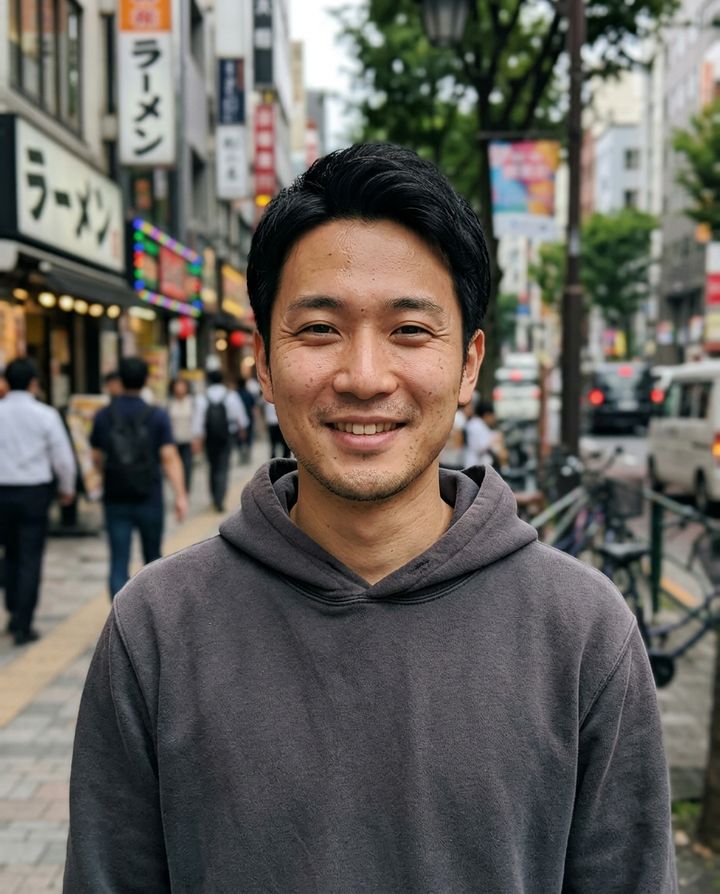
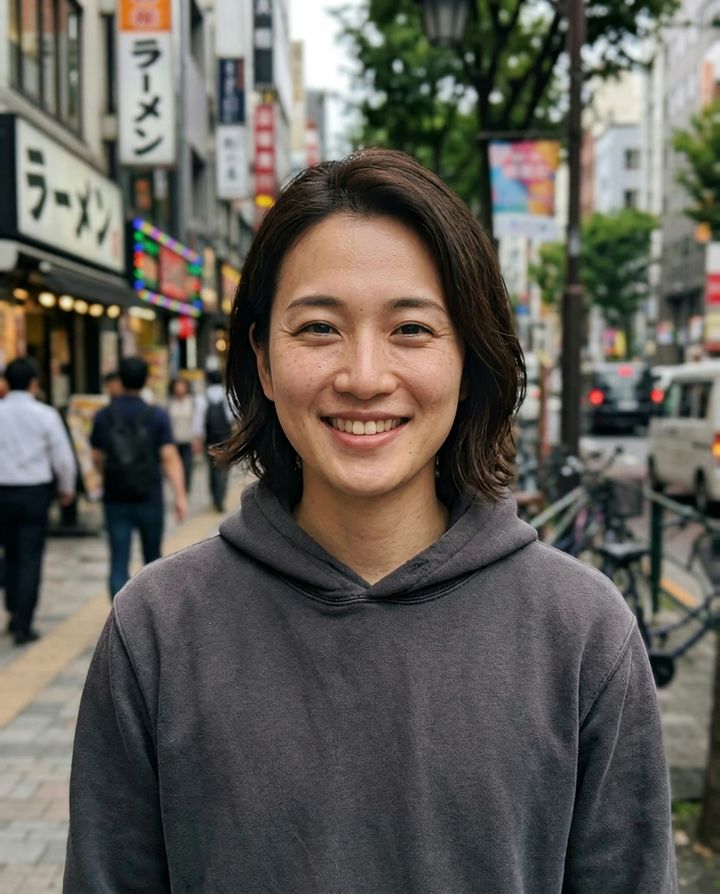
Real gender swap results
Every example below was made with this AI gender swap filter, with no retouching (the originals are AI-generated fictional people). Hover or tap to flip.
What is an AI gender swap filter?
An AI gender swap filter takes a photo of a person and redraws it as the opposite gender — male to female or female to male — while keeping what makes the face recognisable. Unlike the live face filters in camera apps, which stretch a mask over your video feed in real time, this filter regenerates the whole portrait with an image model, so hair, skin, jawline and lighting all read as one consistent photo.
The hard part is identity. A generic image generator gives you an attractive stranger; a good gender swap should still look like you. Our model is told to keep face shape, eyes, nose, skin tone, age, expression, pose and background, and to change only gendered traits such as hairstyle, facial hair, brows and jawline. When the first result drifts, “More like me” runs it again anchored on your original photo.
The direction is detected automatically, so you never choose “male” or “female” up front: drop a photo and the filter works out which way to go. If it guesses wrong — for example with a short-haired woman or a long-haired man — one tap flips it.
Why this filter is easier
Most gender swap tools make you sign up, pick options, press generate and wait — and the result often looks like someone else. We removed all of that.
No generate button, no direction picker — the model works out male→female or female→male.
Face shape, eyes, smile, skin tone and background stay; only gender traits change. Not close enough? One tap: “More like me”.
Longer or shorter hair, beard, more natural or more polished — applied to this result, so it stays the same person.
Save the result, a before/after image, or a 9:16 reveal video for Reels and TikTok.
How to use the AI gender swap filter
A clear, front-facing photo with even light works best.
- 1Add a photo
Choose, drop or paste — or take a selfie on your phone.
- 2Wait about 30 seconds
You can switch tabs meanwhile — the tab title tells you when it is done.
- 3Compare, save, share
Drag across the image to compare; tap a refine if you want changes.
Ideas for your gender swap
People use it for more than a laugh. A few favourites:
Post the before/after image or the 9:16 reveal video on Reels, TikTok or Shorts and let friends guess who it is.
Writers, game designers and role-players sketch an opposite-gender version of a character from a single reference portrait.
Preview how a haircut, beard or make-up look might read before committing to a costume or a crossplay.
See what you — or a friend, with their consent — might look like as the other gender. It is surprisingly convincing.
Your photo is used once
We only generate — no face database, no training on your photos.
- ✓Deleted in 24 hours: the uploaded original is stored only temporarily by the model provider and deleted within 24 hours.
- ✓No training: we never use your photos to train models.
- ✓Only you or with consent: use photos of yourself or of people who agreed; 18+ only.
- ✓Clearly labelled: every export carries an “AI generated” label, and the model adds an invisible watermark.
AI gender swap filter FAQ
Do I need to sign up or pay?+
No. Everyone gets 1 free generation a day, no sign-up needed. Failed or rejected generations do not count.
Will it still look like me?+
Yes. The model is told to keep your face shape, eyes, nose, skin tone, age, expression, pose and background and only change gender traits like hair, facial hair and brows. If it is not close enough, “More like me” redoes it anchored on your original.
Do you keep my photo?+
The uploaded original is held by our model provider only briefly and removed after a day. Results are kept so you can download them. We never use your photos for training.
How long does it take?+
Usually 20 to 60 seconds. Feel free to do something else — the browser tab title changes when your result is ready.
Does it work on group photos?+
Yes, but only the most prominent person is changed. To swap someone else, crop the photo to that person first.
Can I use someone else’s photo?+
Only with their consent, and you must be 18 or older. Do not use it to impersonate, harass or deceive anyone. Every export is labelled “AI generated”.
What if it picks the wrong direction?+
Tap “Wrong direction”, then choose “Make female” or “Make male”.
Is the AI gender swap filter free?+
Yes. Everyone gets one free gender swap a day without an account. Signed-in users can generate more with credits, and failed generations are never charged.
Does it work on iPhone and Android?+
Yes. It runs in the browser on any phone, tablet or computer — there is no app to install. On a phone you can take a selfie directly or pick a photo from your gallery.
Can I gender swap a video?+
The filter works on photos. After a swap you can export a 9:16 reveal video that animates from your original to the result, ready for Reels, TikTok and Shorts.